



Dream until your dreams come true
—now faster than ever with AI.
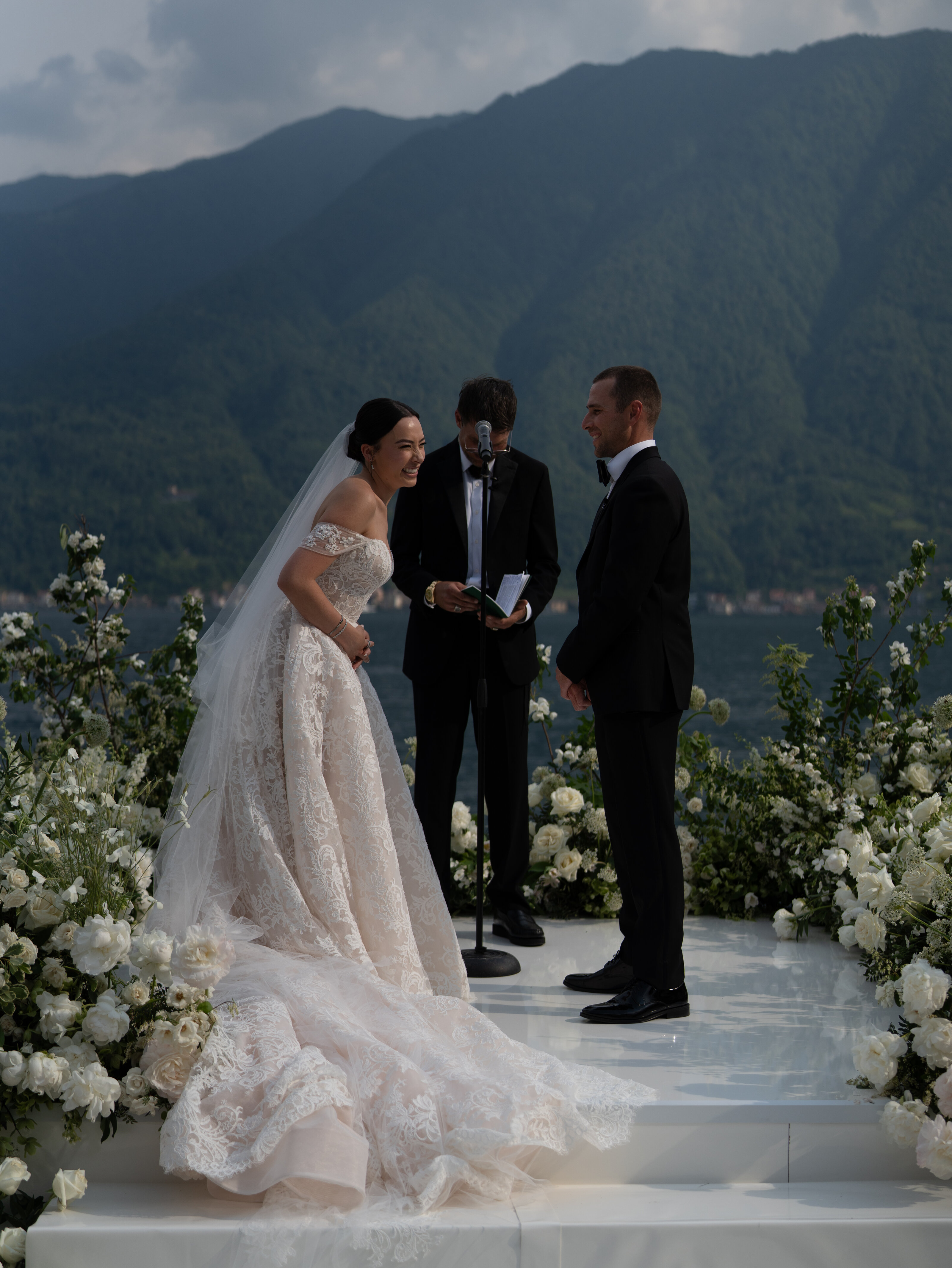
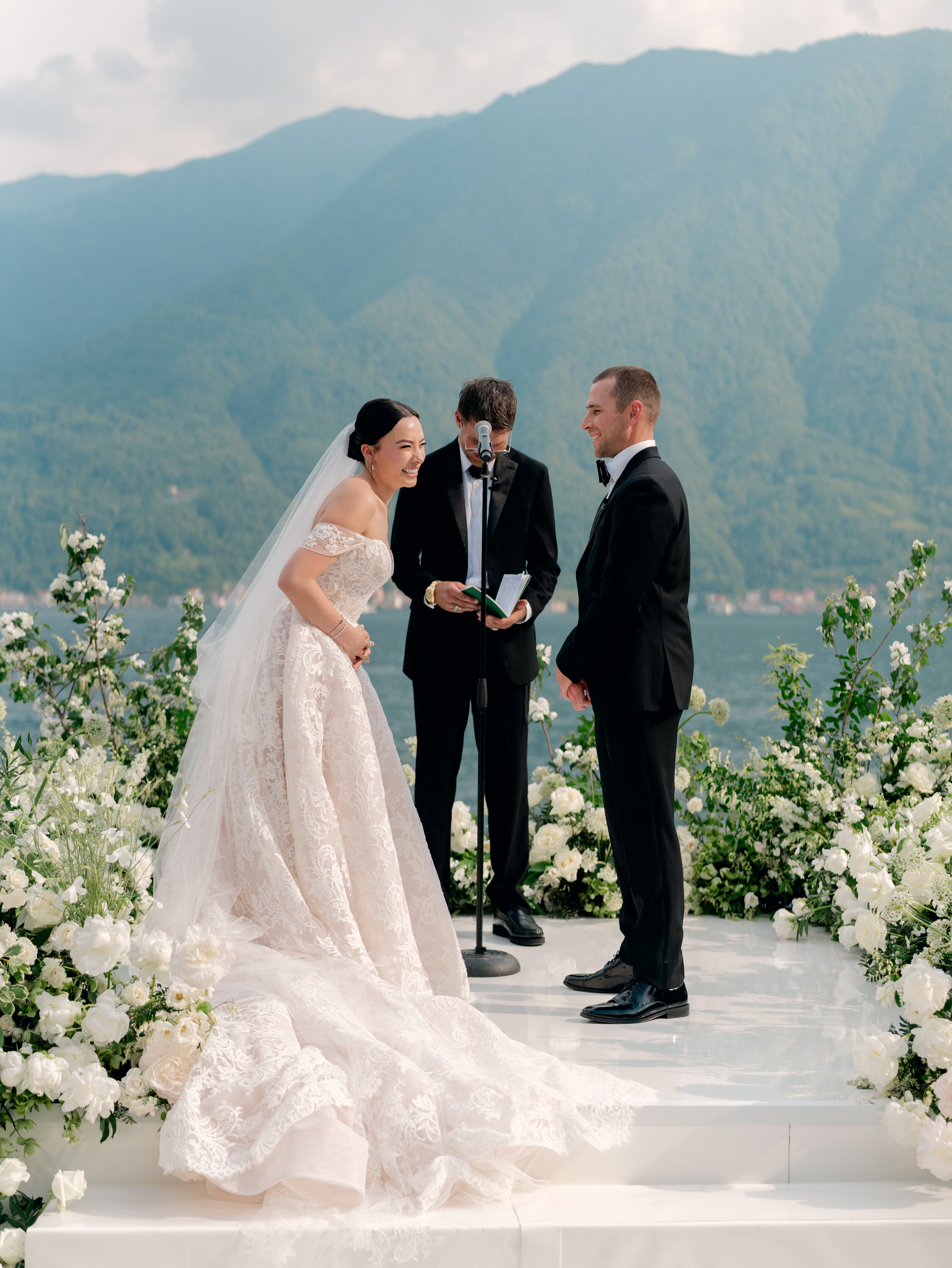
Peachy. Romantic. Undeniably dreamy. There's a reason this has been one of our bestselling presets since we launched it. Inspired by Charla Storey's beloved Fuji 400H film aesthetic, Dream On delivers luminous peachy skin tones, delicate contrast, and a soft romantic finish that feels both timeless and effortless. It's made for the romantics, the dreamers, and the storytellers—photographers who want their work to feel like it belongs in a love letter. Now, as an AI Profile, you get all that magic in a fraction of the time. Swoon-worthy without being saccharine. Elevated without losing warmth. Just pure, unapologetic romance—faster than ever.
DREAM ON
$250
THE BESTSELLING PRESET FROM THE STOREY COLLECTION—NOW AS AN AI PROFILE
DREAM ON
THE NEWEST ADDITION tO THE STOREY COLLECTION
new to imagen? sign up here and get 1500 free edits!


(Tap to see the before)
Okay, real talk: when we first launched The Storey Collection, I thought Dream On would be a favorite. I've been SO excited to watch it become a Kindred Presets bestseller. It was no surprise to us that approximately 10 minutes after Imagen became a thing I started getting DMs like "WHEN IS THIS COMING TO AI?"
So here we are. You asked, we delivered. You're welcome.
Dream On was born from my full-blown obsession with Fuji 400H film back when it was still in production. Those peachy, glowing skin tones? That soft, buttery contrast that makes everything look like a daydream? I wanted to bottle that feeling and make it accessible to everyone, because not everyone can afford to shoot film.
When I edit with Dream On, I'm not trying to make things perfect. I'm trying to make them feel something. Skin tones stay peachy and luminous... warm without crossing into orange territory, glowing without looking fake. Contrast is soft, never harsh. Shadows keep their depth, highlights stay airy and romantic. It's that sweet spot where nothing feels overworked but everything feels intentional.
And the color? Chef's kiss. Peachy warmth lives in everything...the skin, the light, even the way greens soften into sage and golds turn into honey. Reds lean coral and romantic instead of aggressive. Blues take on this dreamy, watercolor vibe. The whole thing feels cohesive and film-inspired, like you're stepping into a memory instead of just looking at a photo.
I handle light like it's sacred. Golden hour glow? Yes. Soft overcast light? Also yes. Backlit moments stay dreamy without losing detail. Indoor scenes get this romantic, candlelit quality. It's all about embracing warmth while keeping that delicate, ethereal thing going.
This profile isn't about making pretty pictures... it's about making people feel things. It's for the photographers who lead with their hearts, who want their galleries to feel like love stories. Dream On has been helping photographers do exactly that since day one, and now the AI version makes it stupid easy.
So yeah. If you've been waiting for this, welcome to the party. It's about time.
- Charla
Real Questions from Real Photographers (Like You)
Here’s everything you might be wondering about how Kindred AI Profiles + Imagen work together. And if you’re still unsure, you can always DM us or reach out—we’re actual humans, promise. 💌
Here’s everything you might be wondering about how Kindred AI Profiles + Imagen work together. And if you’re still unsure, you can always DM us or reach out—we’re actual humans, promise. 💌
Q: Can I tweak the edits after the AI does its thing?
Absolutely! The AI gives you a killer starting point, but you’re the boss. Tweak to your heart’s content until it’s chef’s kiss perfect. Imagen AI makes it easy to customize, so your edits always feel like you.
Q: Do I need to be a pro to use Kindred AI profiles?
Nope! Whether you’re a seasoned pro or just starting out, Kindred AI profiles (powered by Imagen AI) are designed to make your life easier. No fancy skills required—just upload, select, and let the AI work its magic.
Q: What if I don’t love the results?
We’ve got your back! The AI is super smart, but if something feels off, you can tweak it, refine it and adjust it to your hearts content. Plus, Imagen AI lets you train the AI to match your style over time, so it gets better
and better.
Q: Can I use Kindred AI profiles for ANY KIND OF IMAGERY?
Yes, yes, and YES! Kindred Essential is perfect for weddings, portraits, and anything that needs clean whites, gorgeous color, and a film aesthetic with Kindreds signature skin tones. And don’t worry—more collections are on the way for every style and shoot. Imagen AI makes it easy to switch between profiles, so you’re always covered.
Q: How do I get started?
1. Create an imagen AI account and purchase your AI profile.
2.Once you’ve purchased, your Kindred AI profile will magically appear in your Imagen account. Easy, right?
3. Download Imagen (if you haven’t already) and get ready to edit like a pro.
4. Transform your photos in just a few clicks! Seriously, it’s that simple.
Compatibility: Perfectly pairs with Lightroom Classic for Desktop
Q: If I buy the AI Profile, do I also get the preset file for Lightroom?
No—you’re purchasing the AI-powered profile that works inside Imagen, not a downloadable preset. The profile mimics exactly how our presets
are meant to be used, but it’s not something you’ll import into
Lightroom directly.
Q: Do I need to own Kindred presets to use the AI Profile?
Nope! The AI Profile replicates our look without needing the original presets. Even if you’re new to Kindred, you’ll still get our signature vibe, right out of the gate. Already own the preset version? All of the quick fix buttons will work beautifully on top of your imagen edits!